
uWork
Mobile app helping self-employed tradespeople and small construction crews manage jobs end-to-end.
Impact & Outcomes
Overview
Project
at a glance
uWork is an iOS application built for self-employed tradespeople and small construction businesses — helping them track customers, projects, jobs, materials, expenses, and documents in one place. It monitors project timelines, contracted amounts, worker payments, and customer payments throughout project lifecycles. I owned research, user testing, wireframes, high-fidelity screens, and the prototype, collaborating closely with the CEO and a team of engineers to take the product from zero to launch.
The Problem
Workers struggle with managing multiple jobs and material purchases across clients. Documentation gets misplaced and information gets forgotten over time. Clients make incremental payments, making it hard to track outstanding balances. Tracking multiple clients and workers across projects simultaneously proves consistently difficult. There was no purpose-built tool for small crews — existing solutions were either too complex (enterprise software) or too simple (spreadsheets).
Research & Personas
Workers frequently lose material purchase receipts due to high work volume. Clients make incremental payments and owners need to track outstanding balances. Two primary user archetypes emerged: Business Owners who need full access across all projects, clients, workers, and financials; and Workers who need access limited to their own assigned tasks and job details.

Business Owner
- Keep track of project progress
- Handle workers on multiple projects
- Keep track on payments

Worker
- Submit receipts for purchased materials
- Keep track on jobs
- Submit pictures of finished projects
Design Process
I began with storyboarding to map both user journeys — the Business Owner who needs visibility across all projects, clients, workers, and financials, and the Worker who needs access limited to their own assigned tasks.
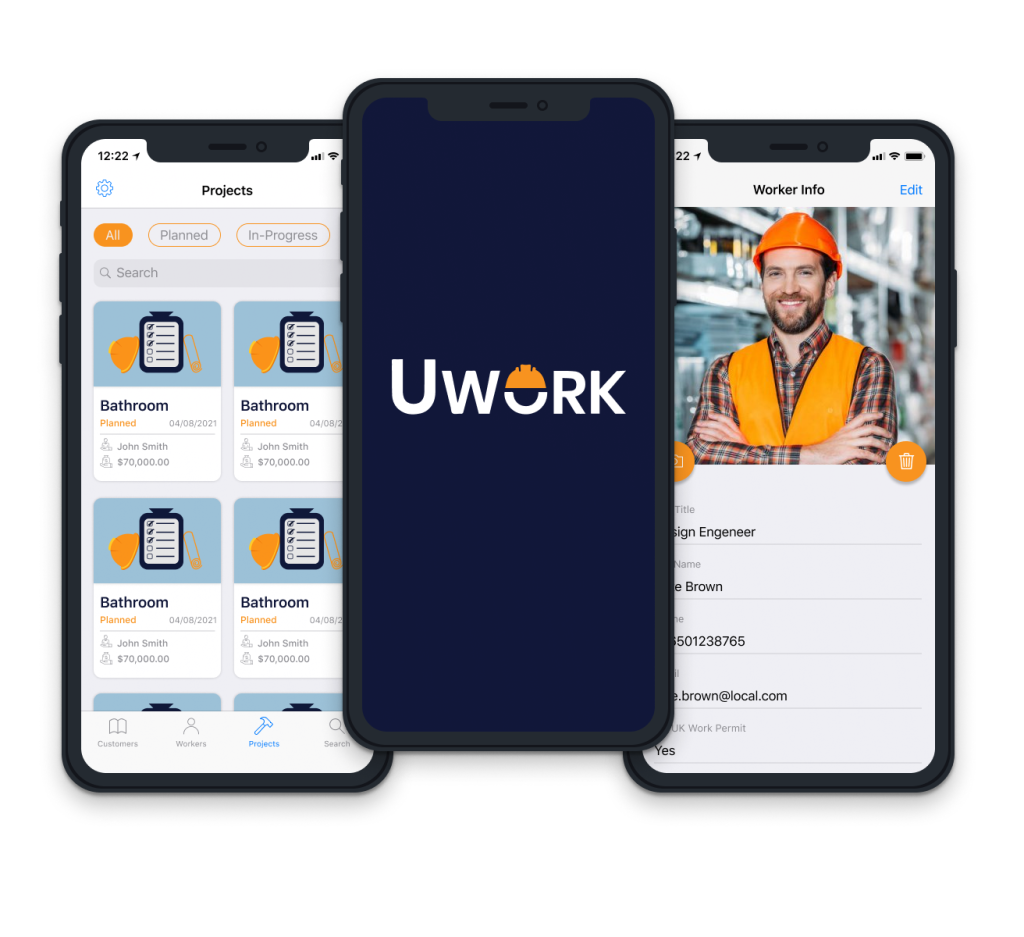
From there we moved into ideation. To start with we had three quite similar pages: Customers, Workers, and Projects. The main idea was to show three things: a picture, a title (either the name of the person or the project), and a summary.
When we put everything together, adjustments were needed. The Worker page became slightly different from the Customer page. The Project page changed the most — the project image needed to be larger so users could recognise it at a glance, the combination and length of information was different, and projects have statuses (planned, in progress, complete) that users need to sort by immediately.
Photo Feature
Pictures may be taken along the way and stored in the app, where they will be attached to individual phases of the Project. The app uses Artificial Intelligence to empower the user to find any picture on a particular subject in no time.
Key Features
A role-based access model giving Business Owners full functionality while limiting Workers to their own tasks and responsibilities. An integrated photo feature allowing users to capture and store project photos by phase, with AI-powered photo retrieval by subject. A unified Project page connecting all associated workers, customers, jobs, and materials in one view — making the full state of any project immediately visible.
Prototype. Projects page
The project page includes all the information about the project. It also has connected workers, customers, jobs, materials that you can access right through the project page.
Outcome
The app launched on iOS with strong feedback from early users in the trades community. The design system built for uWork established visual and interaction patterns that scaled cleanly as new features were added post-launch. User feedback gathered after launch shaped the iteration roadmap and confirmed the core IA decisions made during the design process.
Next case study
Smart Alerts Redesign
Redesigned the Smart Alerts experience to improve clarity, usability, and trust by simplifying alert creation.